Publishing Modes of a .NET Application
You've built a great .NET application. It works perfectly on your machine. You send it to a customer, and the first reply you get is: "It doesn't start. It says something about installing .NET."
The way you publish your app decides whether your customer double-clicks and gets going, or opens a ticket with their IT department and waits two weeks. Here's a practical look at the options.
Framework-dependent: small, but with strings attached
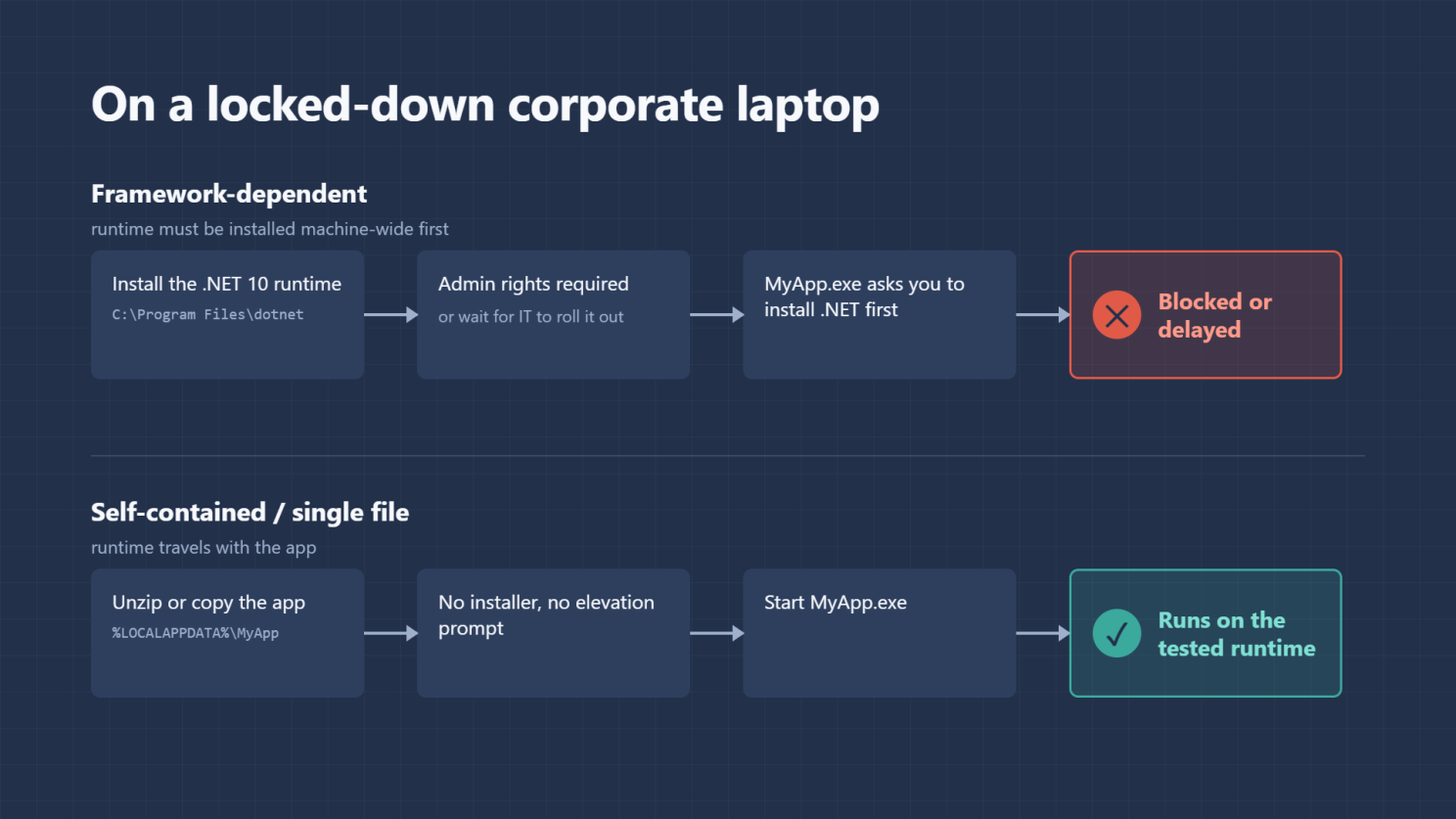
A framework-dependent app expects the .NET runtime to already be on the machine. The standard runtime installer puts it in C:\Program Files\dotnet, a machine-wide location, so installing it requires admin rights.
On a developer box that's no problem. On a locked-down corporate laptop, it often is. The user can't install the runtime themselves, and their IT department may not have rolled out the version you need (say, .NET 10). Your app is ready; the machine isn't.
Self-contained: bring your own runtime
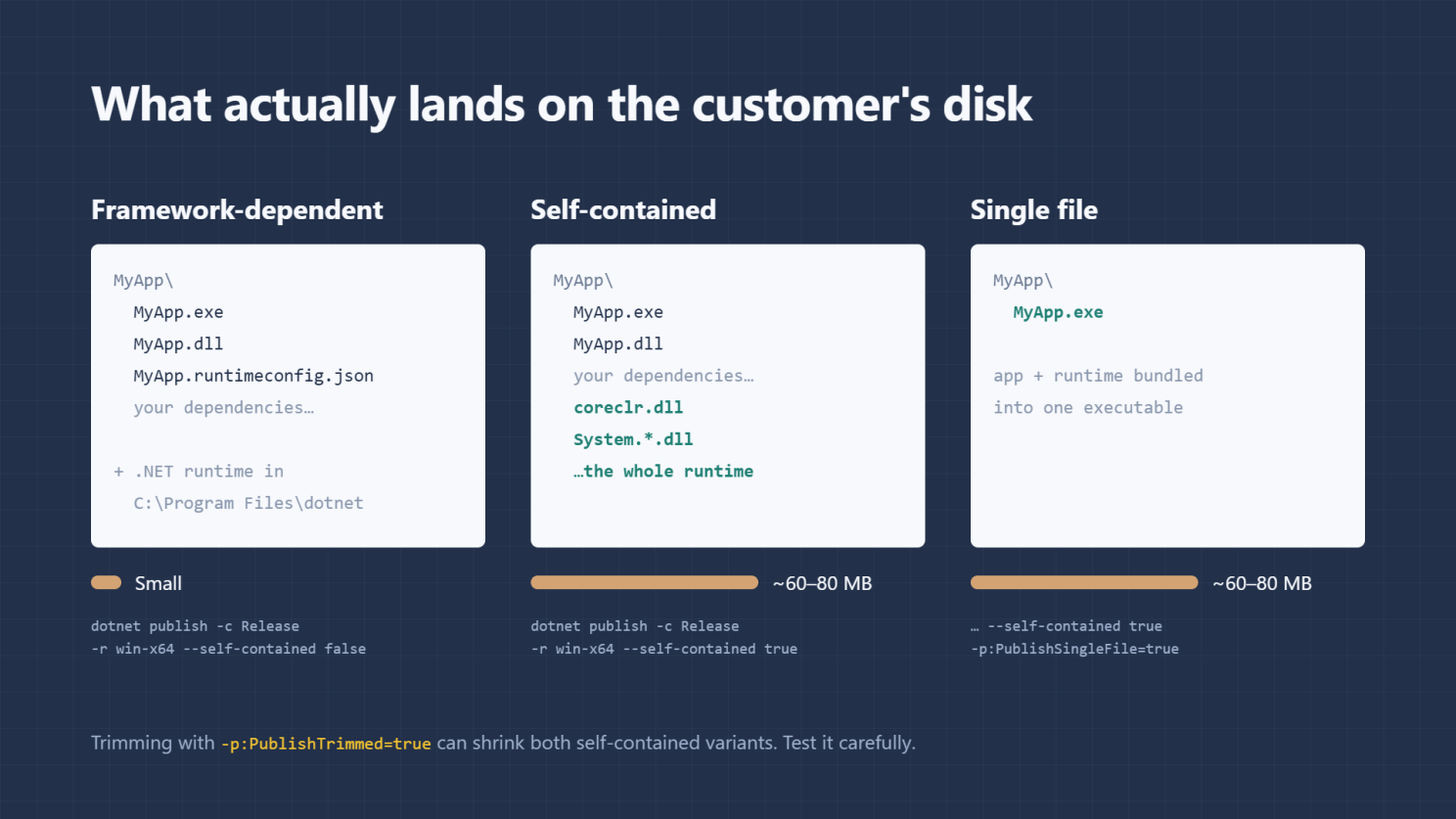
Self-contained publishing ships the .NET runtime inside your app's folder. Nothing is installed system-wide. The user can unzip or copy the app into any folder they have write access to, such as the Desktop, Downloads or %LOCALAPPDATA%, and simply run it.
No installer. No elevation prompt. No "please install .NET 10 first" step.
There's a quiet but valuable side benefit: your app always runs on exactly the runtime version you tested with, regardless of what else is (or isn't) installed on the machine. Fewer "works on my machine" surprises.
Single file: one .exe, done
Single-file publishing goes one step further. Instead of a folder full of DLLs, the customer gets one .exe to double-click. For distribution to non-technical users, that's about as simple as it gets.
dotnet publish -c Release -r win-x64 --self-contained true -p:PublishSingleFile=true
Caveats you'll be asked about
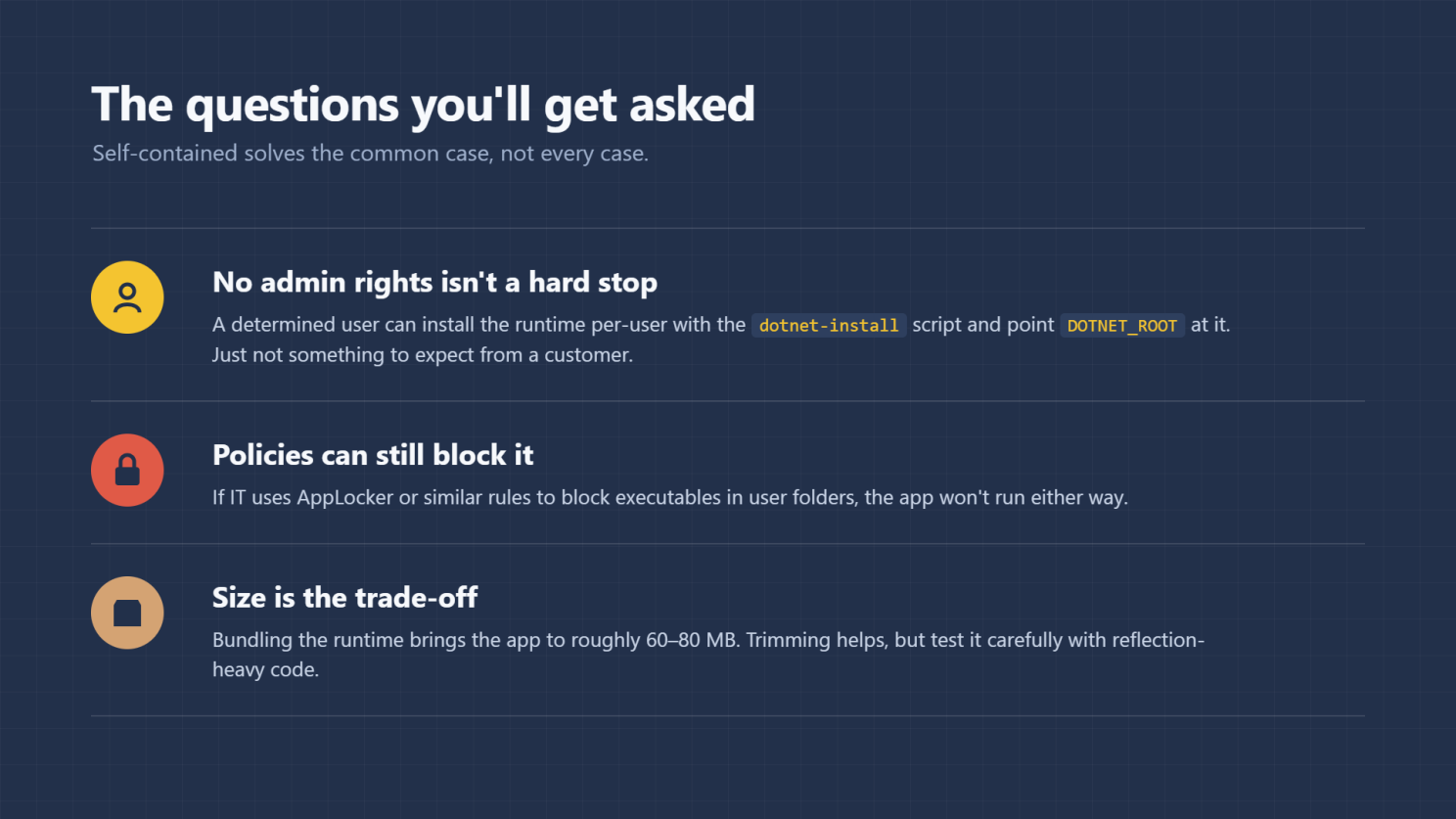
Missing admin rights don't strictly block framework-dependent apps. A determined user can install the runtime per-user with the dotnet-install script and point DOTNET_ROOT at it. It works, but it's not something you'd reasonably expect a customer to do.
Self-contained doesn't defeat every lock-down. If IT uses AppLocker or similar policies to block executables in user folders, your app won't run either way. Publishing mode can't solve a policy decision; that conversation has to happen with IT.
Size is the trade-off. Bundling the runtime makes the app noticeably bigger, roughly 60–80 MB. Trimming (-p:PublishTrimmed=true) can bring that down considerably, but test carefully: trimming can break code that relies on reflection, and WinForms and WPF apps don't officially support it.
The bottom line
If you control the target machines, framework-dependent keeps things lean. If you're shipping to customers whose environments you don't control, self-contained (ideally as a single file) removes the most common reason your app fails to start, and that first impression matters.
How do you publish your .NET apps for customers? I'd be curious to hear what has worked in your environments.
dotnet #csharp #softwaredevelopment #deployment #microsoft
Originally published on LinkedIn.